

 Bahasa Indonesia
 Deutsch
 Español
 Français
 Português (Brasil)
 Türkçe
 ไทย
 中文(简体)
 中文(繁體)
 日本語
 한국어
macOS
-
Install Python 3.9 or later from the official website.
Even if you already have Python through Homebrew, Anaconda or a similar tool, we recommend installing it this way. Otherwise, the simulation may not work properly.
-
Open the terminal and install the required libraries:
Terminal window python3 -m pip install numpy termcolor requests overrides pillow opencv-python -
Install Webots R2023b from the official repository.
-
Download Erebus v26.1 (zip) and unzip it.
Run the environment
Section titled “Run the environment”Double-click the world file game/worlds/world1.wbt to open it in Webots.
Webots opens the Erebus control window in your web browser. The first time, Erebus installs some Python libraries, which may take a while. It is ready when the window shows the 08:00 game timer:
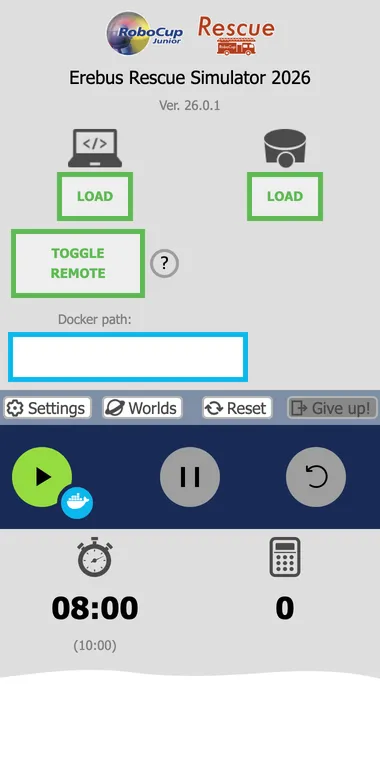
Next, read the Rules summary to understand the game. If something goes wrong, see Troubleshooting.

Erebus is part of RoboCupJunior Rescue.
News, events and team documents: RCJ Rescue Community Website
© 2020–2026 Erebus Development Team